Why Input Lag Is the Reason Teachers Abandon Smart Boards in Classrooms

The initial enthusiasm for a new smart board for classroom setup usually lasts about forty-eight hours. It starts with an excited orientation session and ends the exact moment a teacher tries to write a complex mathematical equation or a quick cursive sentence during a live lecture.
Many institutions often invest in high-end interactive panels worth lakhs of rupees being used as nothing more than a glorified projector screen. Meanwhile, the teacher is back to using a whiteboard on a stand right next to it.
It isn't a lack of training that causes this abandonment. It is a technical failure known as input lag. When the digital ink doesn't keep up with the hand, the teacher’s flow is broken. In a fast-paced learning environment, if the technology is slower than the human mind, the technology loses.
The 5-Millisecond Test: Why Speed Defines a Smart Board for Classrooms
In the world of ed-tech, administrators often get distracted by "vanity specs" like 4K resolution, 40-point touch displays, or the latest Android version. While those are important features, they do not define the daily teaching experience. Latency does.
Latency (or input lag) is the micro-delay between your pen touching the surface and the digital line appearing on the screen. In a high-pressure environment with 50 students watching, a 100-millisecond delay feels like an eternity.
The industry gold standard for a premium smart board for classroom is 5 milliseconds of writing latency. Research in human-computer interaction shows that once lag drops below 10 milliseconds, the brain begins to perceive digital ink as real. At 5 milliseconds, the friction feels natural. If the latency is higher, the teacher must subconsciously slow down their handwriting to let the board catch up.
The Computational Debt of Traditional Smart Classroom Equipment
Why do so many traditional setups fail the latency test? It comes down to what engineers call Computational Debt.
Most interactive flat panels are essentially giant tablets. To function, their internal processors are constantly juggling a massive load:
- Rendering a high-definition 4K video stream.
- Running background system processes and operating systems.
- Scanning a grid for up to 40 simultaneous points of touch.
- Processing hand-rejection algorithms to ignore palms resting on the screen.
All of this overhead creates a heavy bottleneck in your smart classroom equipment. By the time the hardware realizes you have drawn a "7," your hand has already moved on to the next number. This drag makes handwriting look jagged and illegible. Furthermore, the physical gap between the thick protective glass and the LED panel underneath, known as parallax error, makes the lag look even worse to the teacher’s eye.
Overcoming Lag: How to Evaluate the Digital Board Price for Teaching
When schools look to upgrade their infrastructure, the first metric checked is usually the budget. However, evaluating the digital board price for teaching based purely on screen size or brand name is a trap. Budget-friendly hardware almost always sacrifices the internal processing speed required for real-time responsiveness.
You might save 20% on the initial purchase, but if the writing experience is so poor that teachers refuse to use the interactive features, your actual return on investment drops to zero. A true smart board for your classroom must prioritize the core action of teaching: writing effortlessly on a board.
The Roombr Advantage: A Frictionless Smart Board Alternative for Classrooms
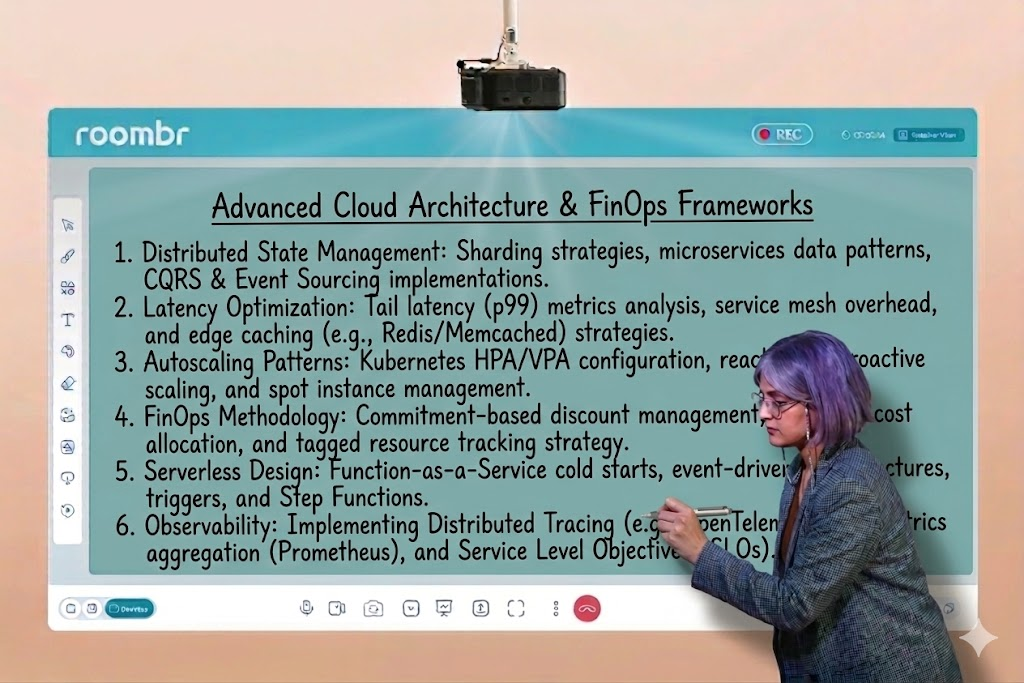
When evaluating your next digital upgrade, you must look beyond the traditional glass screen. Roombr is designed specifically to solve the latency problem that plagues traditional digital boards, redefining what a smart board for classrooms should feel like.
Unlike a standard interactive panel that struggles under the weight of its own heavy operating system, Roombr utilizes a high-precision, dedicated infrared (IR) pen. By focusing its computational power on a single, high-speed interaction point rather than 40 irrelevant touch points, Roombr achieves a writing experience that mimics the fluidity of a physical marker on a whiteboard. This allows teachers to maintain their natural cursive, draw intricate scientific diagrams, and annotate PDFs without the frustrating stuttering effect.
The Ripple Effect: Beyond Just a Smart Board for Classrooms
When a smart board for your classroom is responsive, the entire dynamic of the room shifts:
- Sustained Engagement: Teachers can jot down student responses in real-time without pausing for the tech to catch up, keeping the momentum of the lesson alive.
- Hybrid Efficiency: In a hybrid setup, low latency ensures that remote students see smooth, clear annotations rather than a laggy, disjointed video feed.
- Teacher Confidence: When the tool works as fast as the mind, educators are more likely to experiment with complex, interactive lesson plans rather than reverting to static, boring presentation slides.
Conclusion
A digital board is, first and foremost, a teaching tool. If it cannot handle a fast-moving pen, it is not fit for a modern educational environment. When you are comparing options and analyzing the digital board price for teaching, do not just look at the brochure—demand a live "Latency Test."
Traditional interactive panels might look impressive when turned off, but if they cannot achieve a near-instant 5-millisecond response, they will eventually become expensive dust collectors.
Experience the Roombr Difference: Book Your Live Latency Test
Roombr is built for the actual flow of teaching. We have eliminated lag, heavy glass, and frustration, ensuring your investment in a smart board for the classroom is used, loved, and relied upon every single day.
Don’t let costly smart classroom equipment turn into a digital paperweight. When comparing digital board prices across different brands, the most important factor is the writing experience.
See how Roombr achieves near-zero lag to keep your teachers engaged and your lessons fluid. Fill out this form to schedule a hands-on demo at your campus.

Foziya Abuwala
Share
Step Into the future of
Education with Roombr